 Cosmil
This Page is Still Under Construction
We're still writing this one — the content here may be incomplete or
change as we finish it up.
Cosmil’s job manager is where all long-running transfer and search operations can be monitored and managed. The job manager is opened by clicking the Jobs button in the top right of any explorer window.
Jobs are shared between all windows — so if you start a transfer in one window and close it you can still monitor and/or cancel it from another.
Warning
Jobs WILL NOT survive app termination though, so make sure to keep at least one window open when jobs are still running.
Monitoring Job Progress#
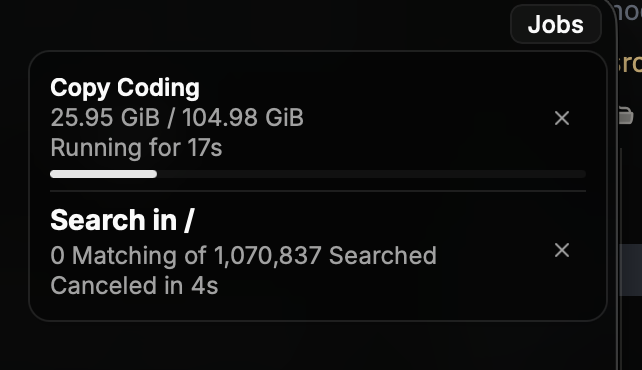
- Transfer Jobs — There is a live progress bar and a live listing of how many bytes have been transferred out of the total size of the source.
- Search Jobs — Searches are indeterminate since they don’t know how many files there are to search until the job finishes. Search jobs tell you how many files have been searched so far, and how many files matched your search’s filters.
Canceling Jobs#
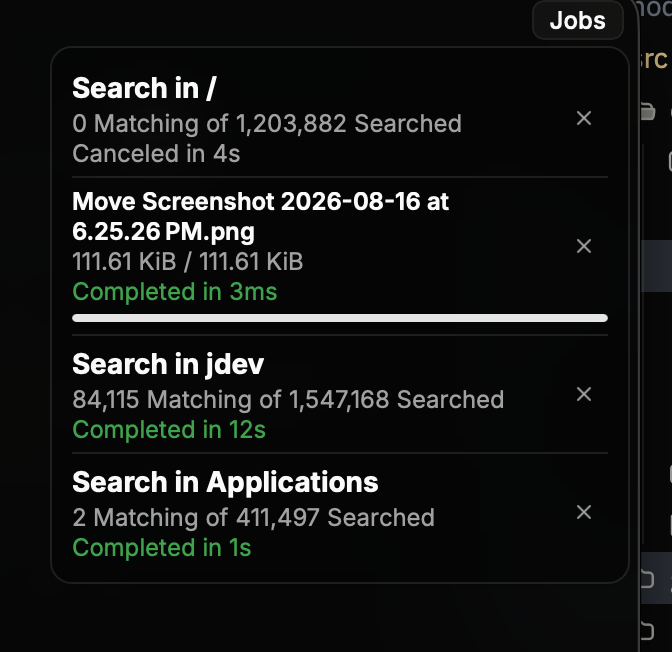
To cancel a running job, simply press the x button on the right side of the job — it should stop promptly.
Deleting Jobs#
Only non-running jobs may be deleted by pressing the same x button that is used to cancel jobs when they are running. After deletion the job will no longer be visible in the job manager.